



Spinogambino Account Access and Registration
Spinogambino login gives registered users access to the platform’s main functions. Registration takes only a few minutes and unlocks the complete game catalog, account settings and available personal offers. Once the profile is active, players can play real-money games and manage their accounts from a single dashboard.



Registering a Spinogambino Account
Creating an account at Spino Gambino Casino allows the platform to adjust some parts of the user experience. The system reviews game activity and may suggest titles with similar themes, formats, or mechanics.
Available bonuses reflect previous activity. Players who regularly use slots may see more free-spin offers, and users who prefer live games may receive promotions related to rakeback or similar reward formats.
Create Your Account
Registration at Spinogambino Casino requires only a few basic details:
| Step | Action |
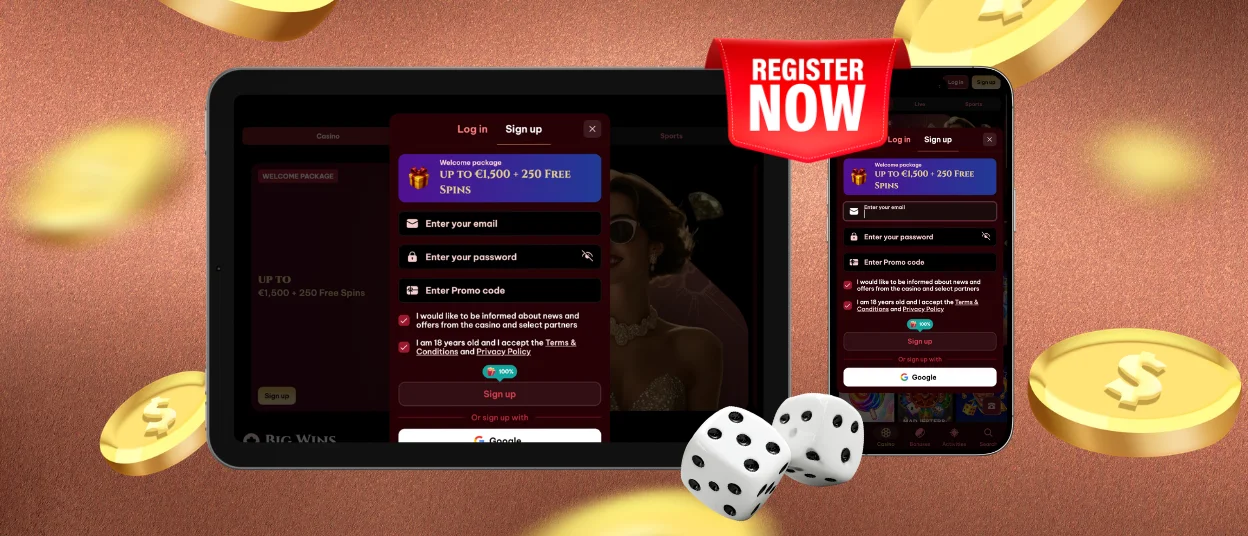
| 1 | Click the Sign Up button on the website or in the Spinogambino app. |
| 2 | Enter an email address and create a password, or select Sign up with Google. A secure password should contain uppercase and lowercase letters, numbers, and symbols. |
| 3 | Confirm that you meet the minimum age requirement and accept the platform rules. Links to the Terms and Conditions and Privacy Policy appear in the registration window. |
| 4 | Open the confirmation link sent by email and complete the remaining profile fields. The information should be accurate because identity verification will be required later. |
After registration, players can save their Spino Gambino login details in the PWA or browser. This shortens the sign-in process during future visits.
Using a Spinogambino Account
To sign in, users enter the same email address and password used during registration. After clicking Log In, they can open the profile area and manage personal settings, security controls, payments, and other account functions.
Registered Spinogambino Casino users can access several features:
- Real-money play: Users can move beyond demo mode, place wagers, and receive cash winnings when game results qualify.
- Bonuses and special offers: New accounts may receive a welcome package, while additional promotions can appear later.
- Platform tools: The account menu provides access to payment methods, personal limits, security settings, and other controls.
- Tournaments and activities: Registered players can join competitions with prize pools that range from several thousand euros to larger amounts.
Users who want information about new games or account offers can enable notifications. This provides updates without requiring them to check the website manually.
Spinogambino Account Verification and Security
Spino Gambino Casino uses several security measures for accounts, payments and gameplay. Encryption and firewalls protect personal information, and secure payment systems and two-factor authentication support financial operations. Random number generators and external testing help verify game integrity.
Verification forms part of the account security process. Each user must complete it before the first withdrawal can be approved.
- Open the Verification section in the account dashboard.
- Upload a clear image of a passport, driver’s license, or another accepted identity document.
- Provide a utility bill or another proof of address when requested.
- Select Confirm and wait for the review. Processing may take between one and several days.
Most Spinogambino Casino users complete verification once. However, the platform may request another review after major changes to personal details, such as replacing the registered email address.
Forgot Your Password?
Creating another account is not an appropriate solution when a password is lost, as multiple accounts may breach platform rules.
Instead, users can select the password reset option on the Spinogambino login page and create new credentials. On supported devices, saved login details can also be protected with Face ID or Touch ID.
FAQ
What if I didn’t receive the confirmation email?
When a Spinogambino confirmation message does not appear in the main inbox, users should first check the spam or junk folder. Email providers sometimes filter automated registration messages. If the email is still unavailable, the player can request another confirmation link or contact multilingual support through live chat for assistance with account activation.
Can I Change My Password Only Through the “Forgot Password?” Link?
No. Spinogambino allows users to update their password after signing in. The player can open the Security section, enter the current credentials, and choose a new password. The Forgot Password? link is intended for users who cannot access their account, while the profile settings are suitable for planned password changes.
I see the message “Incorrect login or password.” What should I do?
Start by using the eye icon in the password field to check the entered characters. Make sure there are no additional spaces, incorrect capital letters, or typing mistakes. The email address should also be reviewed carefully, since even a minor error can block access. If the message continues to appear, wait a few minutes before trying again or contact Spinogambino Casino support.


