



Spinogambino Mobile Access
Using a phone or tablet gives players a simpler way to access online games without relying on a desktop computer. The Spinogambino app supports mobile use through a lightweight solution that does not require a large download or extensive device permissions. Installation takes little time and uses a limited amount of storage.



Using Spinogambino on Mobile
Spinogambino offers two mobile access options: a browser-based website and a progressive web app. Both formats adapt to smaller screens, although they are intended for slightly different types of use.
The browser version is great for users who do not want to install anything. They can open the Spino Gambino website on a phone or tablet in the same way they would on a desktop browser.
The app format is for more frequent use. It provides an interface closer to a standard mobile application, removes several browser-related limitations, and shortens the process of returning to the platform.
The main differences between the mobile website and the PWA appear below:
| Mobile website | PWA |
| Loading speed depends heavily on the internet connection, and pages need to reload on unstable networks. | The main interface opens quickly while updated information loads in the background. |
| Access requires a bookmark, browser history, or a manually entered address. | A dedicated shortcut appears on the home screen like a regular application icon. |
| Users need to refresh the page before the latest version becomes visible. | Updates are installed automatically in the background. |
| Limited content remains accessible only when the page was open before the connection dropped. | Some Spinogambino interface elements remain available during temporary connection interruptions. |
| A game session does not resume properly after the browser tab is closed or refreshed. | Session information is preserved, allowing users to return to the same point where the game supports it. |
| No installation is required, although cached browser data may accumulate over time. | The application uses limited storage and manages cached files automatically. |
| HTTPS protects transmitted data, but browser settings also affect account security. | The app operates in a separate environment rather than sharing the same space with other browser tabs. |
| The payment page must load again each time it is opened. | Frequently used payment interface elements are cached and open faster. |
This setup makes the Spino Gambino app a practical option for regular mobile access. Main sections load faster, and saved session data reduces the effect of short connection losses. The app also avoids repeated browser navigation and uses device resources efficiently.
Spinogambino App for Android
On Android devices, the Spinogambino app works similarly to a standard mobile application. It appears as a shortcut on the home screen, opens with one tap, and displays the interface without browser elements such as the address bar.
The application does not require installation through Google Play. Account information and player status update automatically, so users do not need to refresh these details manually.
PWA Architecture
Spinogambino uses progressive web application technology to provide a consistent interface across different mobile devices. The system adjusts to various screen sizes and device capabilities without requiring separate applications for each operating system.
- Screen orientation: The layout changes automatically between portrait and landscape modes.
- Performance: The interface adjusts according to the processing power and memory available on the device.
- System gestures: Standard phone navigation controls remain available.
- Language: The application follows the language selected by the user.
- Network availability: Important interface components remain accessible during unstable connections.
Users do not need to change these options manually in the Spino Gambino account settings. Push notifications are optional and must be enabled separately by the device owner.

Spinogambino App for iOS
iPhone and iPad users can add the Spinogambino app to their home screen without downloading it from an app store.
- Tap the “Casino App” icon.
- Select “Add to Home Screen” in the browser tab that opens.
- Wait for the shortcut to appear.
- Close the browser and return to the device menu.
- Tap the new Spinogambino shortcut.
- Sign in with an existing account or complete registration.
After installation, users may add another account protection measure. On supported devices, they can press and hold the Spino Gambino shortcut and select Require Face ID when this option is available.

Desktop App for Windows and macOS
The Spinogambino app runs on Windows and macOS computers. Users open it in a separate window or use full-screen mode without keeping the platform inside a standard browser tab.
After installation, an application shortcut appears in the taskbar, dock and system application area. It can be moved, pinned, or located through the operating system search function.
Deleting the shortcut does not remove the account or stored platform information. If the icon is removed accidentally, the user can create it again without affecting account data or game history.
FAQ
Do I need to create an account to use the app?
Existing Spinogambino users do not need to register again. They can sign in through the app using the same email address and password associated with their current account. New users create an account directly through the application by opening the registration form and entering the requested information.
Can I filter games on my phone?
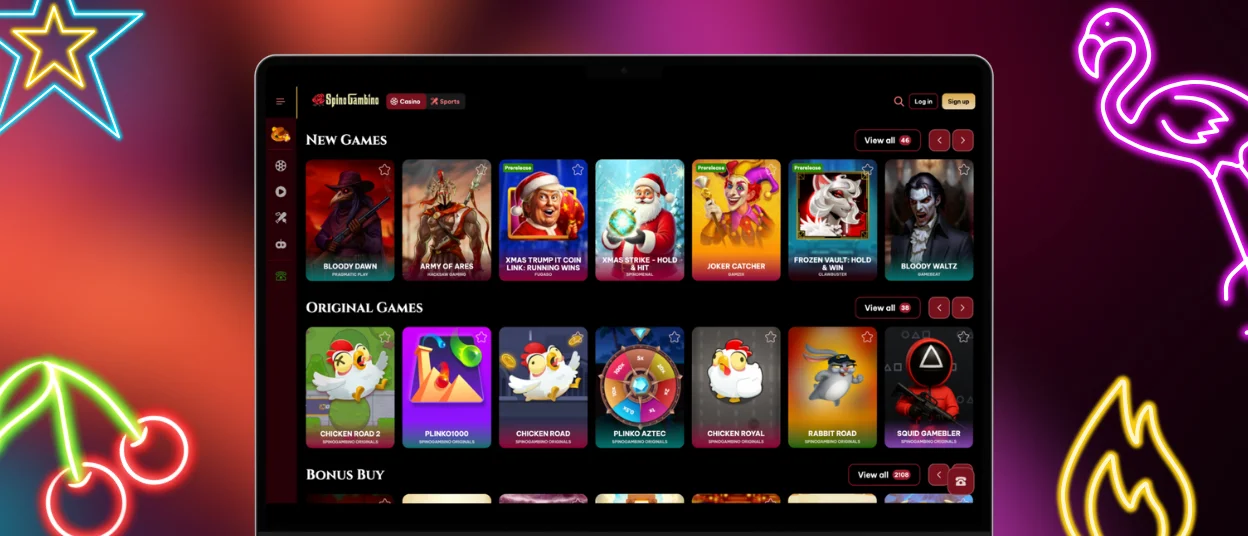
The Spino Gambino mobile interface uses the same search and filtering system as the desktop website. Users just tap the search icon to find a specific title or browse categories such as slots, live casino games, table games, and crash titles. The general layout is similar across mobile and desktop devices, which makes it easier to continue browsing after switching between platforms.
Can I withdraw my winnings through the application?
Withdrawal requests are successfully submitted through the Spinogambino app. The payment section supports bank cards, cryptocurrencies, and other available methods. The account must pass identity verification before the first withdrawal can be processed. Users who experience difficulties with verification or payments can contact customer support through live chat.


